
Everything the panel offers
From console to world management, one-click plugin installs to automatic backups — all in your browser, no extra software.
Why this panel?
Every detail of server management is covered — deploy, manage, play.
Java + Bedrock Cross-Play
Bedrock (mobile/Windows 10) players join your Java server; the required system plugins install automatically — on Paper/Purpur/Spigot/CraftBukkit servers, free on 4 GB and larger packages.
Delivery In Minutes
Setup begins the moment your payment clears; typical setup takes a few minutes.
Web File Manager
Upload, edit and move files from the browser. No FTP client, no passwords to memorize.
One-Click Mods & Plugins
Thousands of plugins and mods from major sources; version compatibility is checked automatically.
Real-Time Statistics
CPU, RAM, TPS and player count second by second in the panel — no room for surprises.
Live Console
Rule your server in real time with colorized logs and command history.
Automatic Backups
With File Protection, daily automatic backups and one-click restore keep your world safe indefinitely.
See the panel up close
The screenshots below are taken from the real panel — not concept art.
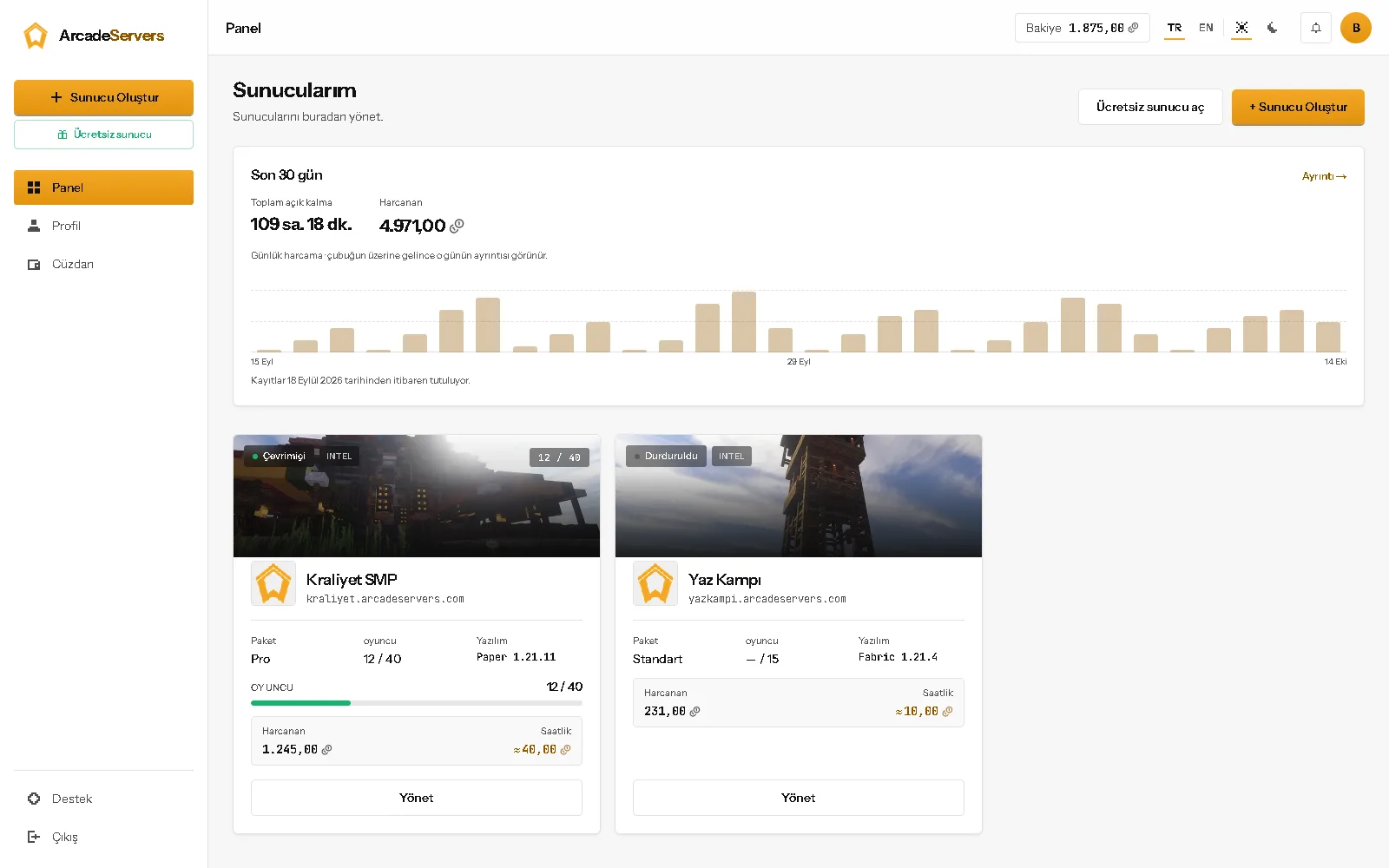
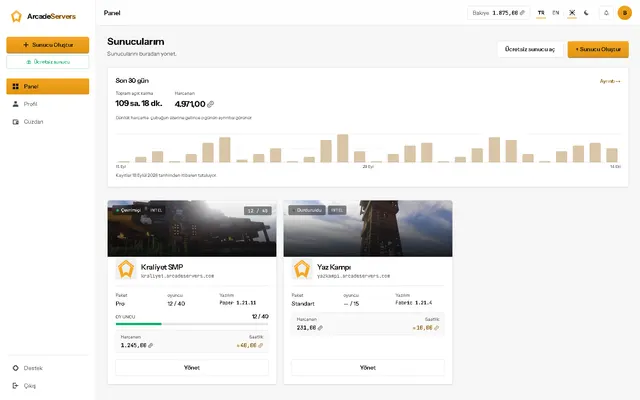
Your server's pulse on one screen
The dashboard shows status, player count, RAM/CPU usage and your balance at a glance. Switch between servers with one click.
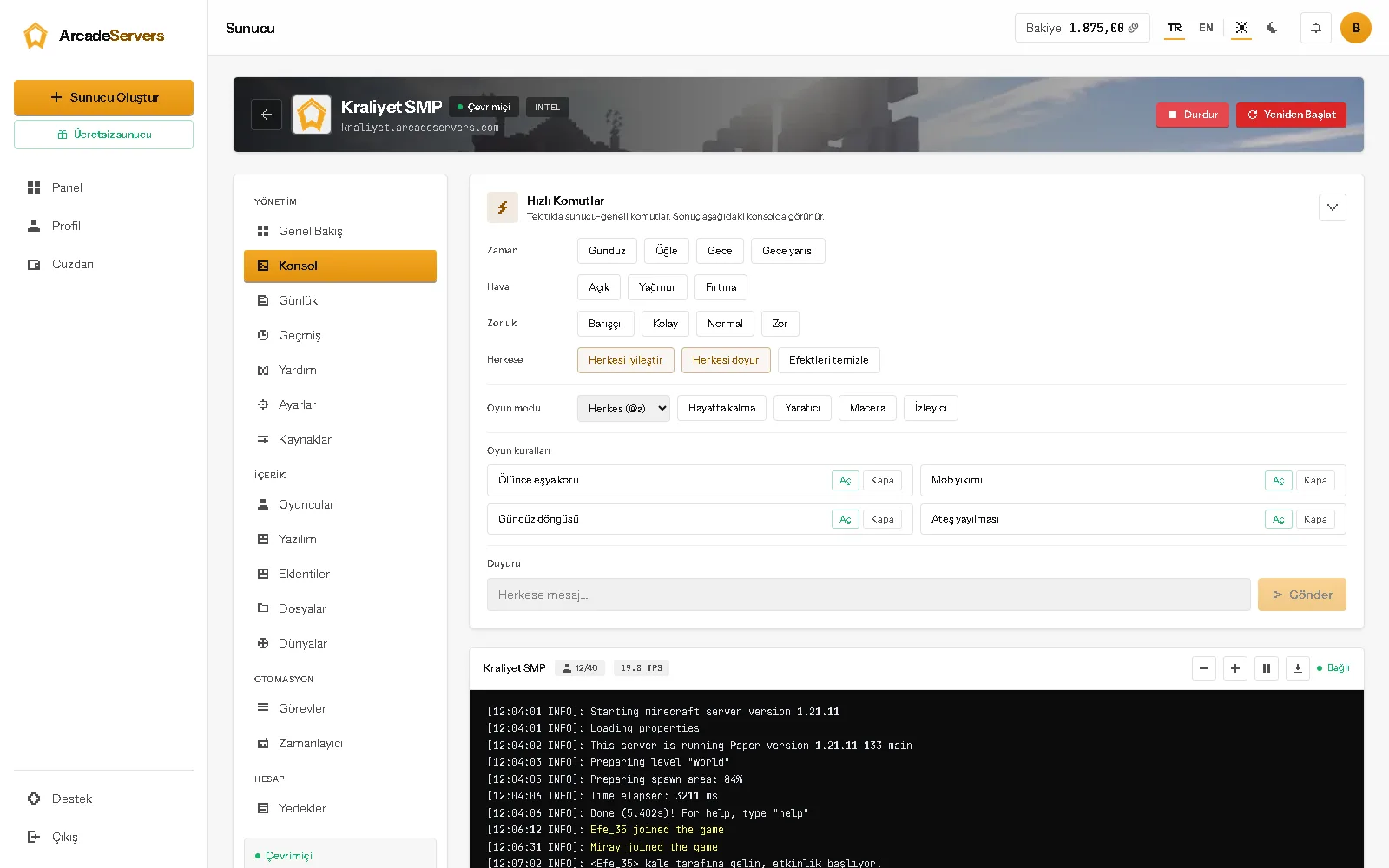
Terminal power, browser comfort
Colorized logs, command history and instant output streaming. No SSH knowledge needed to command your server.
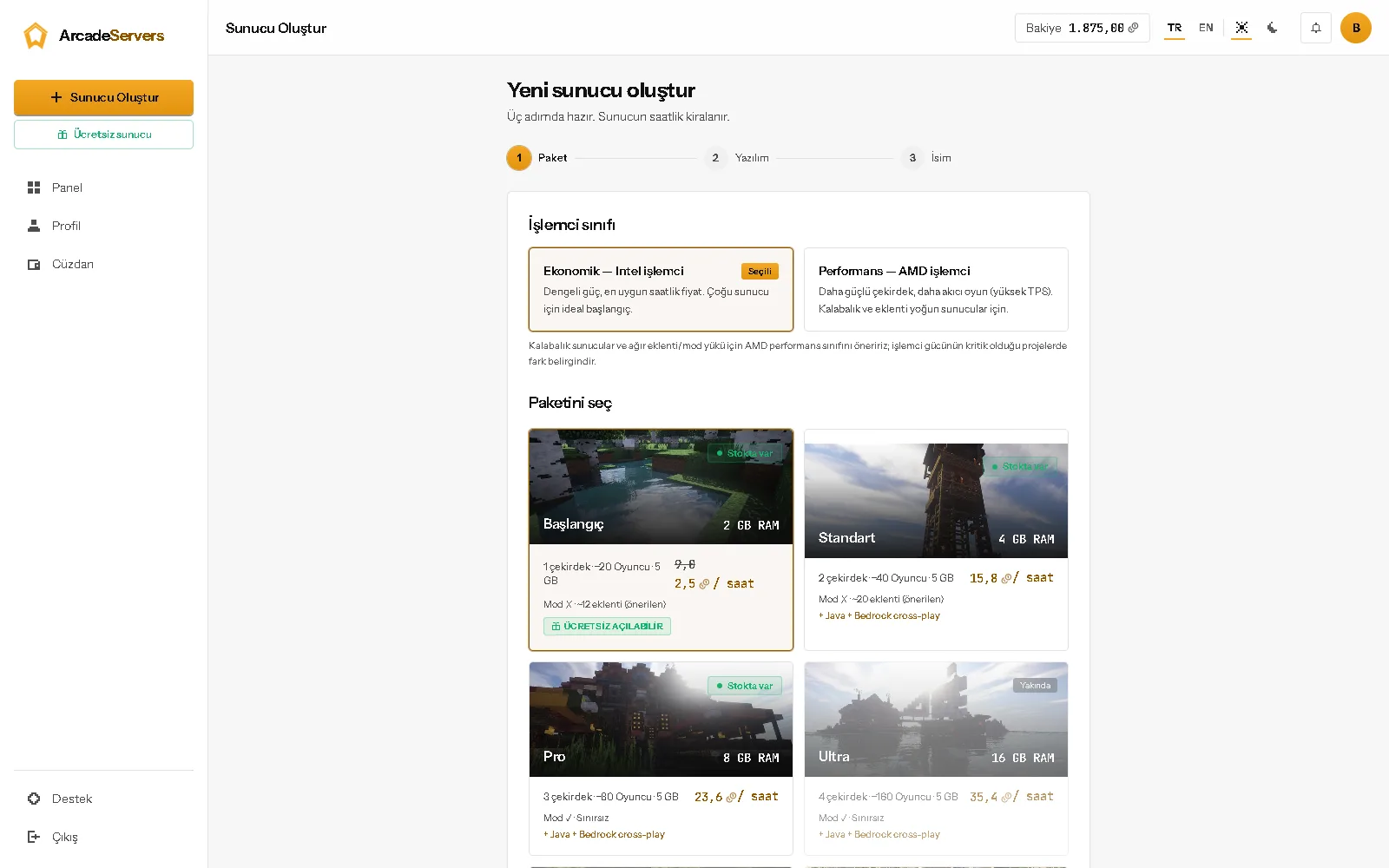
9 softwares, every version, one wizard
From Vanilla to NeoForge: 9 server softwares with live version lists. Your old profile is backed up automatically when switching.
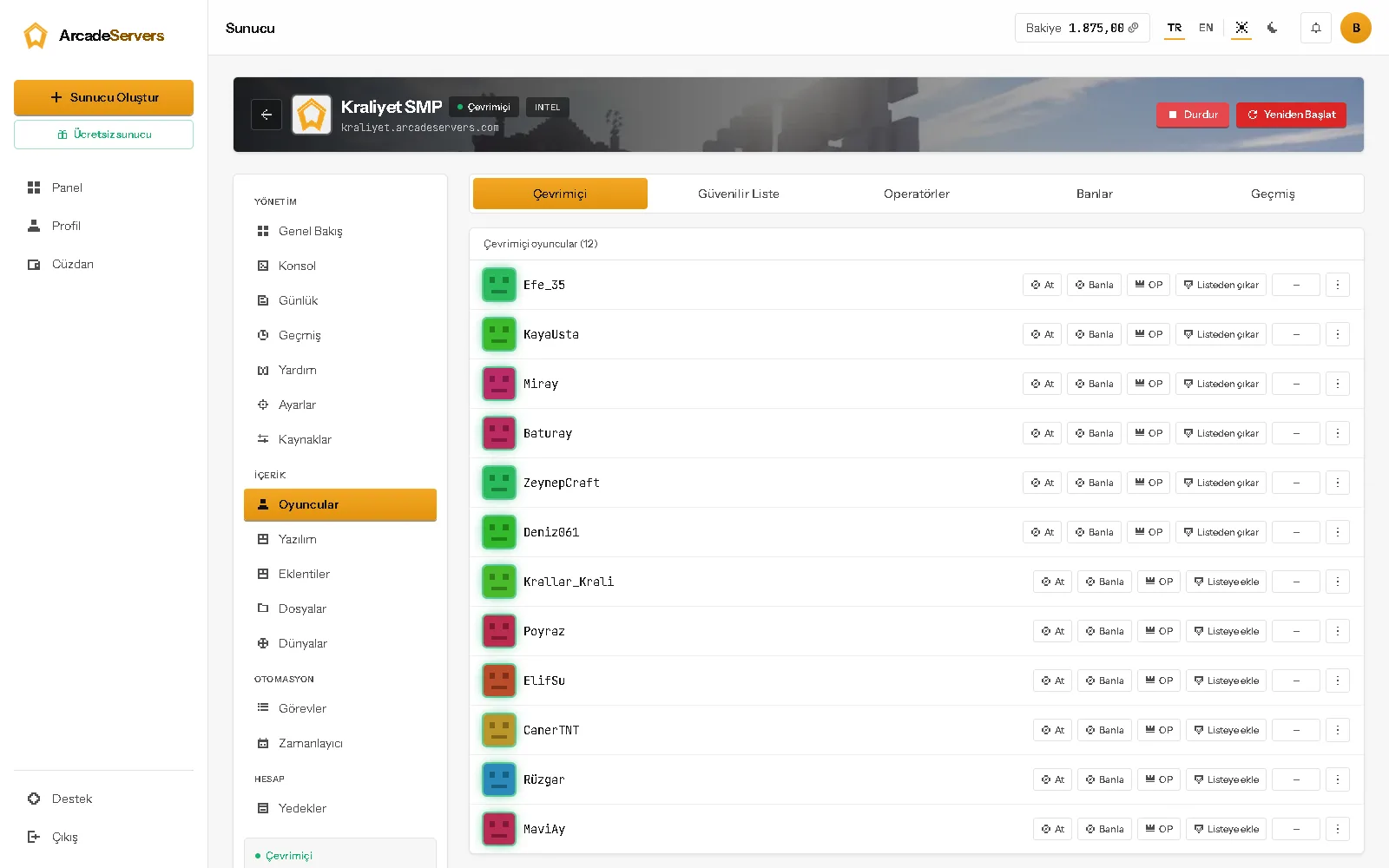
Whitelist, OP and bans in the panel
See online players; manage whitelist, op and ban actions with one click — no commands to type.
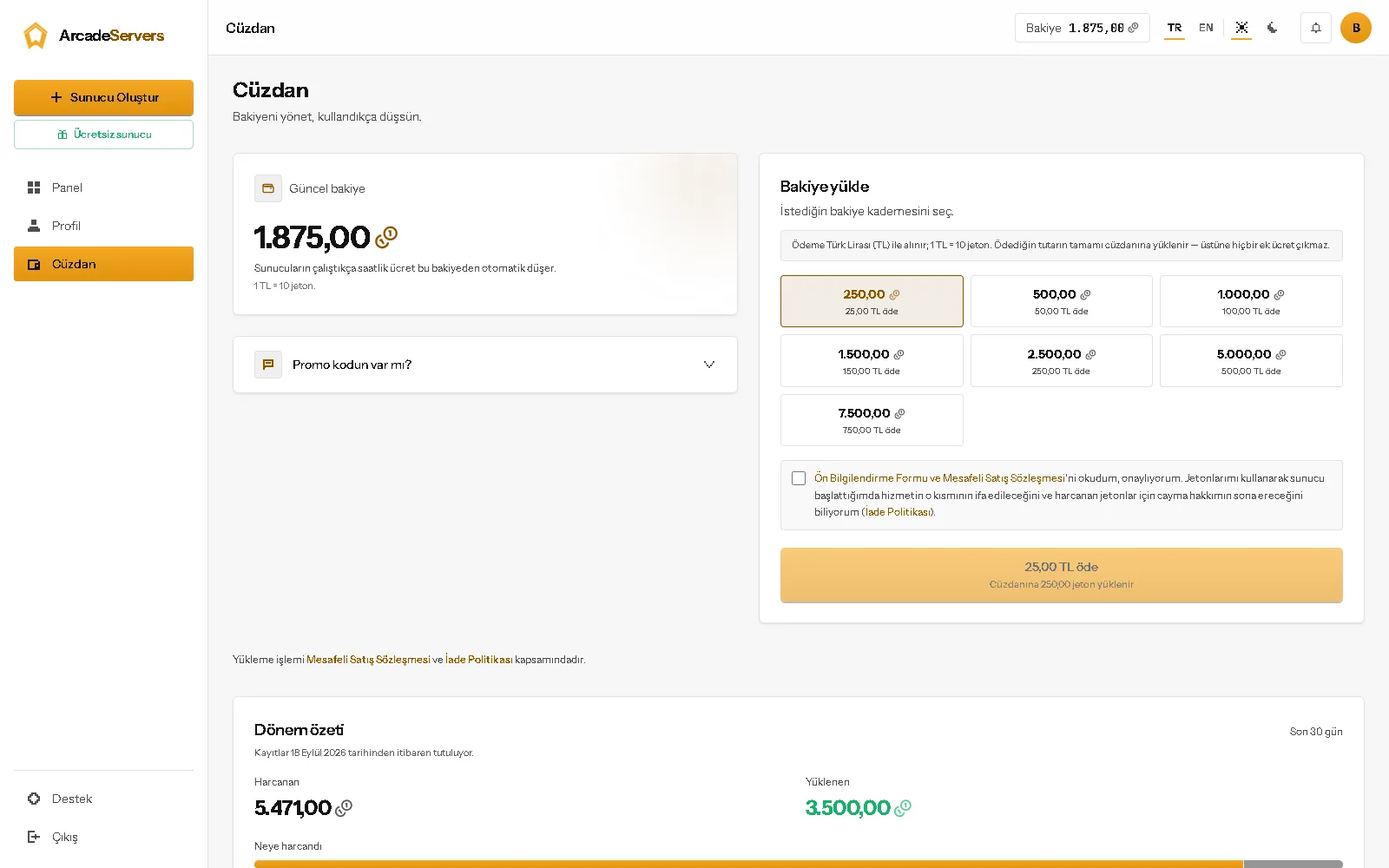
Top up your wallet, pay by the hour
Prepaid wallet: view your balance and transaction history. No hourly fee is charged while your server is off; only the monthly item for storage beyond the free 5 GB continues.
yourname.arcadeservers.com, ready
Your own address is ready the moment your server is installed. No IPs to memorize — copy the address, send it to friends, play. You also get a waiting address: with the server off, a player who joins there sees a short waiting screen and the server starts on its own.
The tools waiting in your panel
You'll find every tool inside a single panel — not scattered across tabs.
Console
Live log stream + command input
Plugins
3-source store + one-click install
Files
Web file manager + editor
Worlds
World management + ready templates
Backups
Manual + daily automatic backups
Players
Whitelist, OP and ban management
Frequently asked questions
All questions (12) →Still stuck?
If you couldn't find your answer, our team can help — we usually reply the same day.
Contact usWe give you your own stable address: yourworld.arcadeservers.com — it stays the same even if the IP changes, and every Java version joins through it. If you have turned cross-play on, mobile (Bedrock) players use the same address. Alongside it you also get a waiting address: yourworld.gir.arcadeservers.com. While your server is off, a player connecting there sees a short waiting screen, your server starts right then and they are let in automatically once it is ready. The waiting address works on Minecraft 1.20.5 and newer Java versions; older versions and Bedrock use the direct address. While the feature is on, the panel shows both addresses with one-click copy.